Builds; milestones 7-9 shipped but not yet playtested
Mod loader
Forge
Minecraft
1.21.1
Who installs it
Everyone on the server needs it
🗺️ What it is
This mod lets you take a copy of the landscape home with you. Build a Diorama Table, capture the terrain around it, and a slowly turning holographic model of that land floats above the tabletop, built from the real blocks, with real cliffs, real biome colours and water that shimmers. Captures live on Vista Plates, which are just items: carry one across the world, trade it, or slot it into someone else's table to show them a mountain range they have never visited. Later you can pin places on the miniature, shoot scanner arrows at ground you cannot reach, and launch a satellite to photograph somewhere 2,000 blocks away.
The first capture is the one that gets you. You right-click a plate onto the table and the world you have been walking through for a week rises up out of the wood in miniature: your ugly cobblestone tower, the ridge you always take the long way around, the river doing the thing rivers do. Then you realise the model is a thing you can carry, and the mod quietly turns into a hobby: a wall of plates, one per place, a table in the hall showing whichever landscape you feel like today. By the time you are pinning a name onto a hologram column and following the beam out into the real world to stand on it, you have stopped thinking of it as a map.
👥 Playing with friends
Plates are tradeable, and satellites image only loaded chunks, so you can only spy on active areas
⚠️ Before you install
Plates captured before the milestone 7.6 geometry fixes keep their old shape. Re-scan them if walls or trees look wrong.
Existing config files keep the old maxRegionSize of 128 and will clamp Grand 256-block scans. Raise the value or delete the entry.
Forge 1.21.1 only. There is no NeoForge or Fabric build.
Everything from milestone 7 onward (cave scans, Grand tables, satellites) is built but has not been playtested.
⏱️ Your first 5 minutes
New to this mod? Do these in order and you will have seen the point of it.
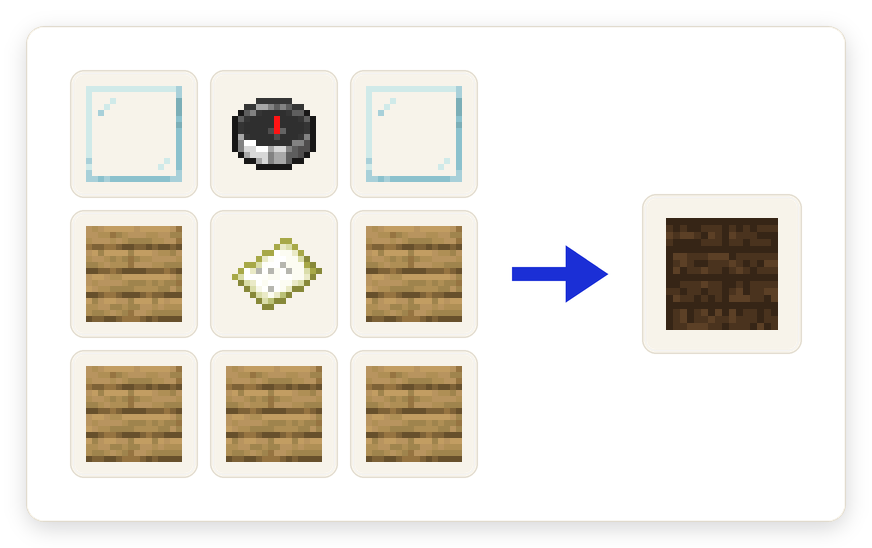
Craft a Diorama Table: glass pane, compass, glass pane across the top, then planks around a filled map.
Place it somewhere with a view worth keeping.
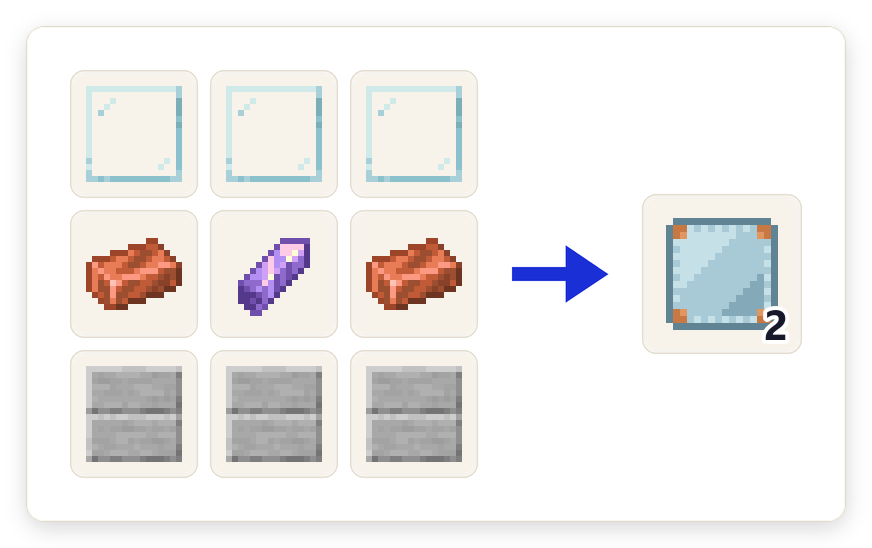
Craft Vista Plates. Glass panes, copper ingots, an amethyst shard and smooth stone slabs make two.
Hold an empty plate and right-click the table: it surveys the 128x128 of terrain around itself and the hologram appears.
Sneak and right-click the table with an empty hand to open Table Settings. Rotation is off by default, so turn it on.
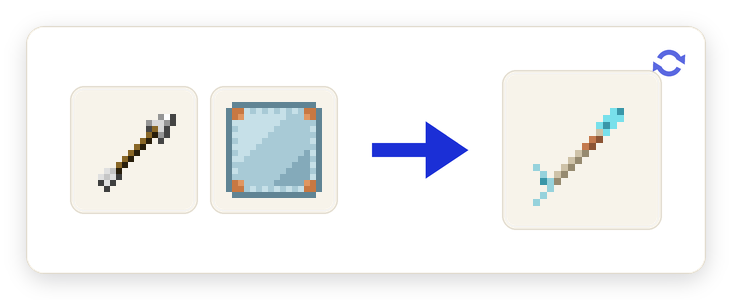
Craft a Scanner Arrow (one arrow plus one Vista Plate) and shoot a hilltop you have never climbed.
🔁 How it works
The Diorama Table
Place the table, capture a region, and it projects that terrain as a rotating relief-map hologram hovering above the tabletop. Every column of the miniature uses the actual block model and texture from the world, not a flat colour, so forest reads as raised canopy and stone reads as stone. The capture keeps a strip of blocks under each surface, so cliff faces and cut edges show real subsurface layers instead of a floating skin. Grass, foliage and water take their proper biome tints, and the whole thing is full-bright so it reads indoors or at night.
Tip: Ice, stained glass and water are drawn in a later pass, so frozen lakes show the water underneath.
Captures are things you can carry
A table only ever displays an inserted Vista Plate. The plate itself is the capture: it carries a tooltip saying where the view was taken, which dimension it came from and how many biomes it spans, and it gets named and tinted after its main biome. Insert it to display, eject it to survey somewhere else, and break a table and its plate drops safely. Take a plate into a world that has never seen it and it becomes a faded vista; you keep the item, but there is nothing to show.
Tip: A single table plus a shelf of plates is a museum: swap the plate to change the landscape on display.
Three ways to capture
Right-clicking a table with an empty plate surveys 128 blocks around the table. Holding an empty plate and waiting about three seconds surveys 64 blocks around you, choosing surface or cave mode automatically. Or craft a Scanner Arrow (an arrow plus a plate) and shoot it: it captures 64 blocks where it lands and the scan comes back to the shooter as a filled plate. All three sizes are server config values.
Tip: The arrow is the only way to capture ground you cannot safely stand on, which is most of the good ground.
Cave scans
A capture taken underground switches to cavity mode on its own. Instead of taking a surface, it flood-fills the connected air of the cave you are in and captures that: a hollow model of the cave system rather than the rock above it. The fill is bounded and only ever reads loaded chunks, so it cannot run away with your server.
Tip: The advancement for a cave capture is called Depth Perception.
Pins and the Surveyor's Compass
The Cartographer's Quill picks a single column out of the hologram, even while it is spinning, and opens a screen to give that spot a name and a colour. Up to six pins live on a vista and travel with the plate wherever it goes. Link a Surveyor's Compass to the table and it snapshots those pins, then renders them out in the real world as coloured beams with floating nameplates, so you can walk to a place you chose off a model.
Tip: Walking to a pinned spot while holding the linked compass earns "X Marks the Spot".
The Grand Diorama Table
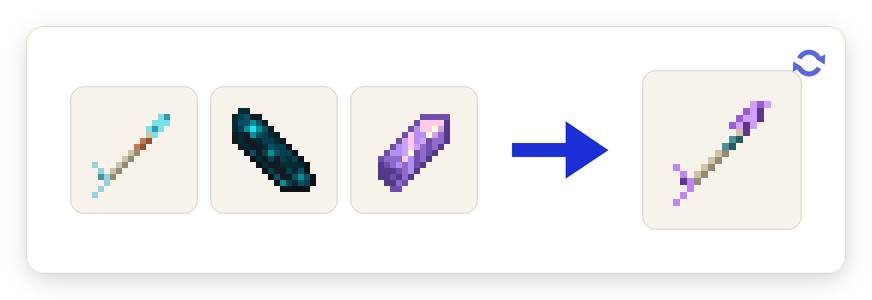
Four tables in a 2x2 square automatically form one Grand Diorama Table with twice the footprint and double the capacity, 256 blocks square instead of 128. A Grand Scanner Arrow (a Scanner Arrow plus an echo shard and an amethyst shard) captures at that larger size. A normal table refuses an oversized plate with a hint telling you it needs a Grand table. Breaking any part unforms the whole thing.
Tip: Sneak-use a captured plate on a displaying Grand table and the two overlapping captures merge into one.
Survey satellites
The late-game path. Craft a Satellite Assembly around a Grand Scanner Arrow, build a 3x3 Launch Pad Base with a Launch Gantry, and use it: a ten-second beeping countdown runs, then the satellite lifts off on a column of particles and climbs out of sight. Up to three can be in orbit at once. Build a Satellite Uplink, insert an empty plate, type in an X and Z and a region size, and request a pass. The satellites work a shared queue and the screen shows your position in it and an estimated wait.
Tip: The uplink tells you exactly why a request failed, from "No satellites in orbit" to "The orbital lanes are full."
Nothing is ever force-loaded
No capture, arrow, plate or satellite pass will ever load or generate a chunk. Any part of a region that is not already loaded is simply left as a gap until you capture again, and a satellite pass over a region with nothing loaded returns a plate stamped SIGNAL LOST. This is a design rule, not a limitation to be configured around; the alternative is a right-click that generates terrain for free.
Tip: On a server this doubles as a feature: you can only image places where something is actually happening.
🎒 Items & blocks
Diorama Table
The centrepiece. Displays whichever Vista Plate is inserted as a rotating holographic relief map, with its own settings screen for rotation, spin speed and fixed yaw.
Where: Crafted from glass panes, a compass, a filled map and planks.
Grand Diorama Table
Four tables in a 2x2 square, formed automatically. Twice the footprint and a 256-block capture capacity, and the only table that can collate two overlapping captures into one.
Where: Place four Diorama Tables in a 2x2 square. All inserted plates eject before it forms.
Vista Plate
An empty capture plate. Use it on a table, hold it for three seconds to survey around yourself, or craft it into a Scanner Arrow.
Where: Glass panes, copper ingots, an amethyst shard and smooth stone slabs make two.
Captured Vista
A filled plate. Named and tinted after the biome it mostly shows, with its origin coordinates, dimension and biome count on the tooltip. This is the item the whole mod exists to make.
Where: Capture terrain with any empty plate. It stays filled until you eject and reuse it.
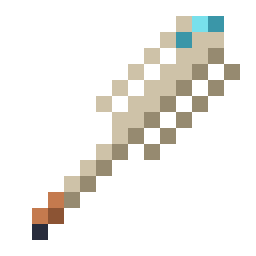
Scanner Arrow
Shoot it from any bow. It captures 64 blocks of terrain where it lands and sends the scan back to whoever fired it as a filled plate.
Where: Shapeless: one arrow plus one Vista Plate.
Grand Scanner Arrow
The big-region arrow. It captures at the Grand table's 256-block size, in surface or cave mode.
Where: Shapeless: Scanner Arrow plus an echo shard and an amethyst shard.
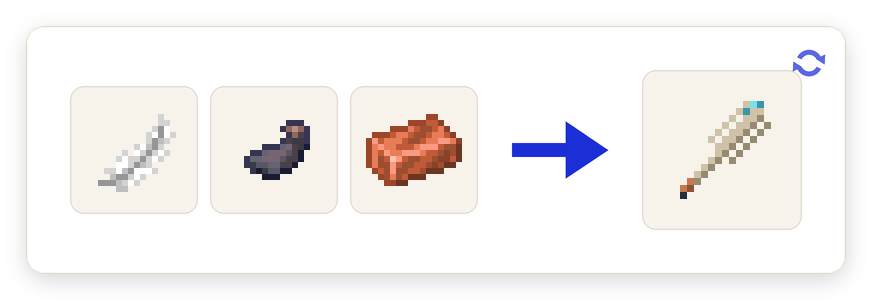
Cartographer's Quill
Right-click a hologram column to pin it, then name it and pick a colour. Six pins per vista, and they travel with the plate.
Where: Shapeless: a feather, an ink sac and a copper ingot.
Surveyor's Compass
Link it to a table and it copies that vista's pins, then draws them into the real world as coloured beams with floating names.
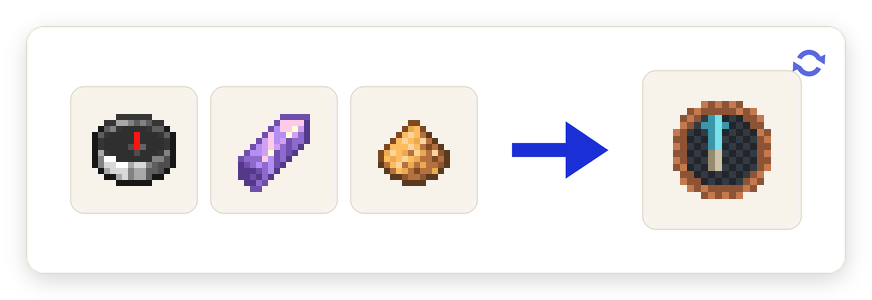
Where: Shapeless: a compass, an amethyst shard and glowstone dust.
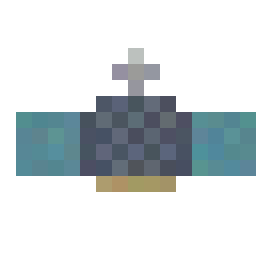
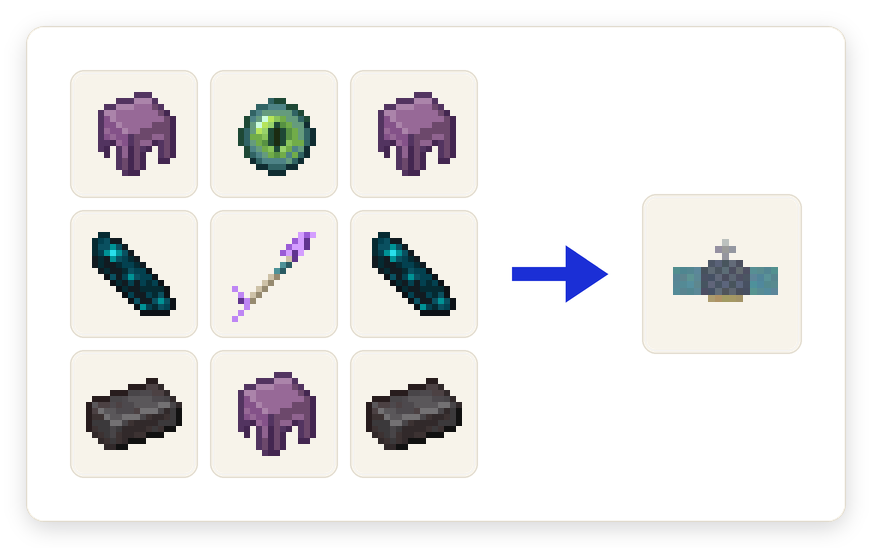
Satellite Assembly
"A cartographer's dream, packaged for orbit." The satellite itself, ready to be placed on a gantry. Stacks to one.
Where: Shulker shells, an eye of ender, echo shards and netherite ingots crafted around a Grand Scanner Arrow.
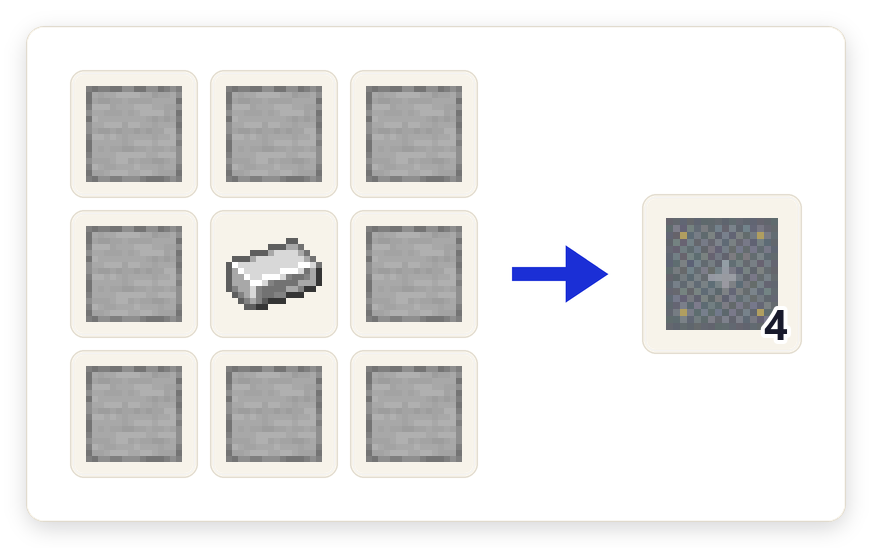
Launch Pad Base
The pad blocks. A launch needs a full 3x3 of them under the gantry, checked when you press the button.
Where: Eight smooth stone around one iron ingot makes four.
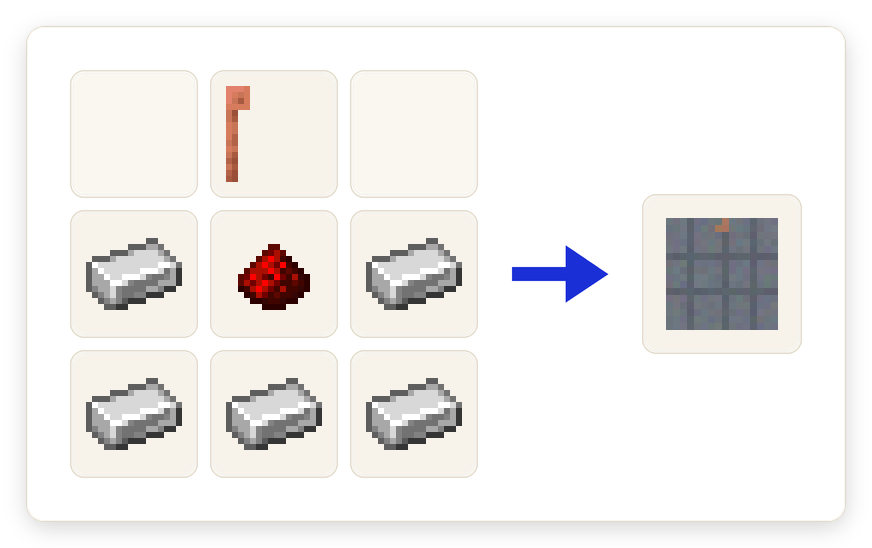
Launch Gantry
Where the satellite sits and the countdown runs. Break a pad block mid-countdown and the launch aborts and refunds the satellite.
Where: A lightning rod over iron ingots and redstone.
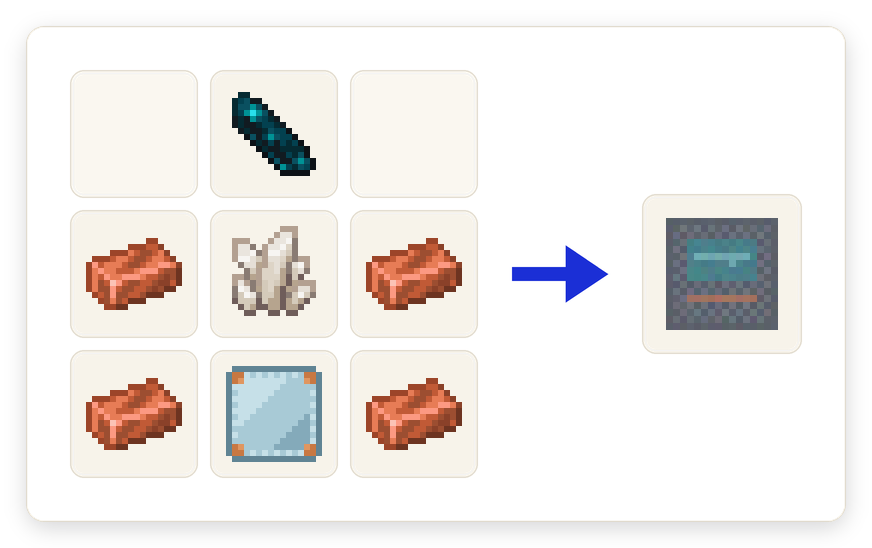
Satellite Uplink
Ground control. Insert an empty plate, type coordinates and a region size, request a pass, and wait for the satellite to come over the target and beam the capture back.
Where: An echo shard over copper, quartz and a Vista Plate.
🖼️ Texture gallery
Every texture this mod ships, at its real in-game size, scaled up so you can see each
pixel. Most are 16×16, the same size as a vanilla dirt block.
Flavour, not rules. None of this changes how the mod behaves.
The souvenir problem
Every explorer comes back with a view no map can hold: the shape of a ridge at sunset, the way a river folds around a mesa. A filled map records where things are. A Vista Plate records what it looked like. The mod's whole design rests on that difference, which is why the capture is a physical object you can hand to somebody else.
A vista that no longer answers
Carry a plate into a world that never made it and the game tells you plainly: "This vista has faded." The item survives, the picture does not. It is the closest the mod comes to a ghost story, a keepsake of a place that this world has never heard of.
Ground control
The endgame is not a weapon, it is infrastructure. A pad, a gantry, a ten-second countdown, three satellites in fixed lanes and a queue of imaging requests with an estimated time. When there is nothing awake under the target the plate comes back stamped SIGNAL LOST: no active chunks in the target region. Somewhere out there, a camera pointed at an empty field.
🎁 Jokes & trivia
Bits you might miss
One advancement is called Gallery Opening: set up six tables within 32 blocks, each showing a different capture, and open your museum.
Photograph a region more than 2,000 blocks from your uplink and the game awards you "Big Brother".
The satellite is a real entity that flies upward and deletes itself somewhere above y=400, having done its job.
The uplink has a dedicated failure message for a full sky: "The orbital lanes are full."
You cannot launch from the Nether. "Satellites launch from the overworld."
A satellite pass over a region where nobody is online returns a plate whose name literally ends in "SIGNAL LOST".
Capture a cave instead of a hillside and the advancement is called Depth Perception.
From the workshop
The terrain data never rides on the item. A plate carries two tiny components; the actual capture lives in world storage on the server. Putting bulk capture data on an item component is the mod's number one written rule.
A 128x128 capture used to weigh 432 KB per tag; a compaction pass in milestone 8 brought it down to 137 KB, which is what makes a 256-block Grand capture possible at all.
Leaves stopped blocking the view in milestone 7.6, so tree trunks show through cutout leaves. Plates captured before that change have to be re-scanned to gain the fixed geometry.
Reading unloaded chunks straight off the region files was proposed and explicitly rejected: any scan that force-loads or generates terrain breaks the mod's anti-grief pillar.
Sixteen advancements are live, from A Dream of Maps through to Big Brother. Grand-table and satellite art is still placeholder.
❓ FAQ
Does capturing lag my world or load chunks?
No. A scan only reads chunks that are already loaded, and anything unloaded is left as a gap until you capture again. Nothing is ever force-loaded by a right-click.
Is this a minimap or waypoint mod?
No. It never touches your HUD. Everything happens on a physical block you place and walk around.
Can I move a capture to a different table?
That is exactly what Vista Plates are for. Capture onto a plate, carry it anywhere, and slot it into any table to display it.
What happens to a plate I take into another world?
Its view belongs to the world that made it. Elsewhere it becomes a faded vista; you keep the item, but it will not display.
Why is my hologram sitting still?
Rotation is off by default. Sneak and right-click the table with an empty hand and turn it on, or set a fixed yaw for a display piece.
Do I need satellites?
No. The table, plates and Scanner Arrow are the whole loop. Satellites are the late-game way to image somewhere you cannot walk to, and they only work over loaded ground.